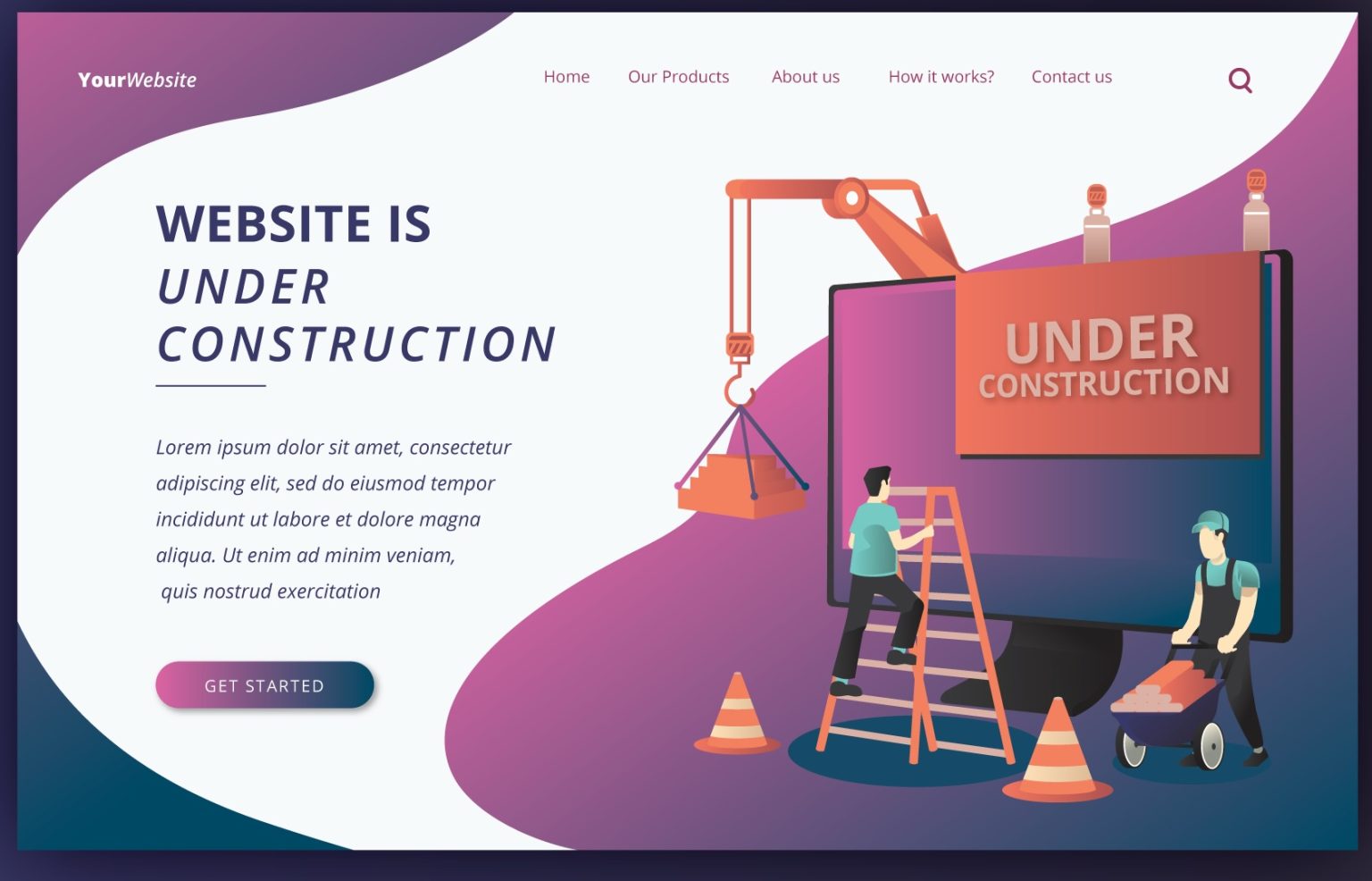
In the digital age, a dedicated website has become an important platform for showcasing personal brands or businesses. Do you want to build your own website but don’t know how to start? Or are you worried about the cost? The good news is that with the rise offree website builders, even if you have no programming background, you can easily design your own website. Whether it’s for writing a blog or building an e-commerce platform, choosing the right website building tools and software can significantly save time and cost.
Are you looking for website building tools that are cheap, efficient, or even completely free? This article will introduce six popular website building platforms in detail, helping beginners create professional-level websites in the simplest way!
What makes a good free website builder?
A good free website platform should have the following features:
Easy to use: Drag-and-drop interfaces and pre-designed templates make the process easily accessible for both beginners and experienced users.
- Customizable: Allows for design flexibility, including mobile responsiveness and styling options.
- Feature-rich: Includes essential tools like blogging capabilities, contact forms, and basic SEO options.
- Good support: Provides good community support and documentation.
- Website Hosting: The builder should provide hosting, or at least be compatible with third-party hosting.
Top 7 Free Website Builders Recommended
Based on the current situation, several relatively high-quality and popular website building platforms have been selected. However, since everyone has different preferences for needs and operating habits, it is recommended that you firstapply for a trialto experience them in depth before deciding on the most suitable platform. In addition, even though most of these platforms offer free plans, from the perspective of certain needs or functions, a moderate and reasonable investment may be necessary to obtain more comprehensive and professional website function support.
1. Best for Creative FreedomWix
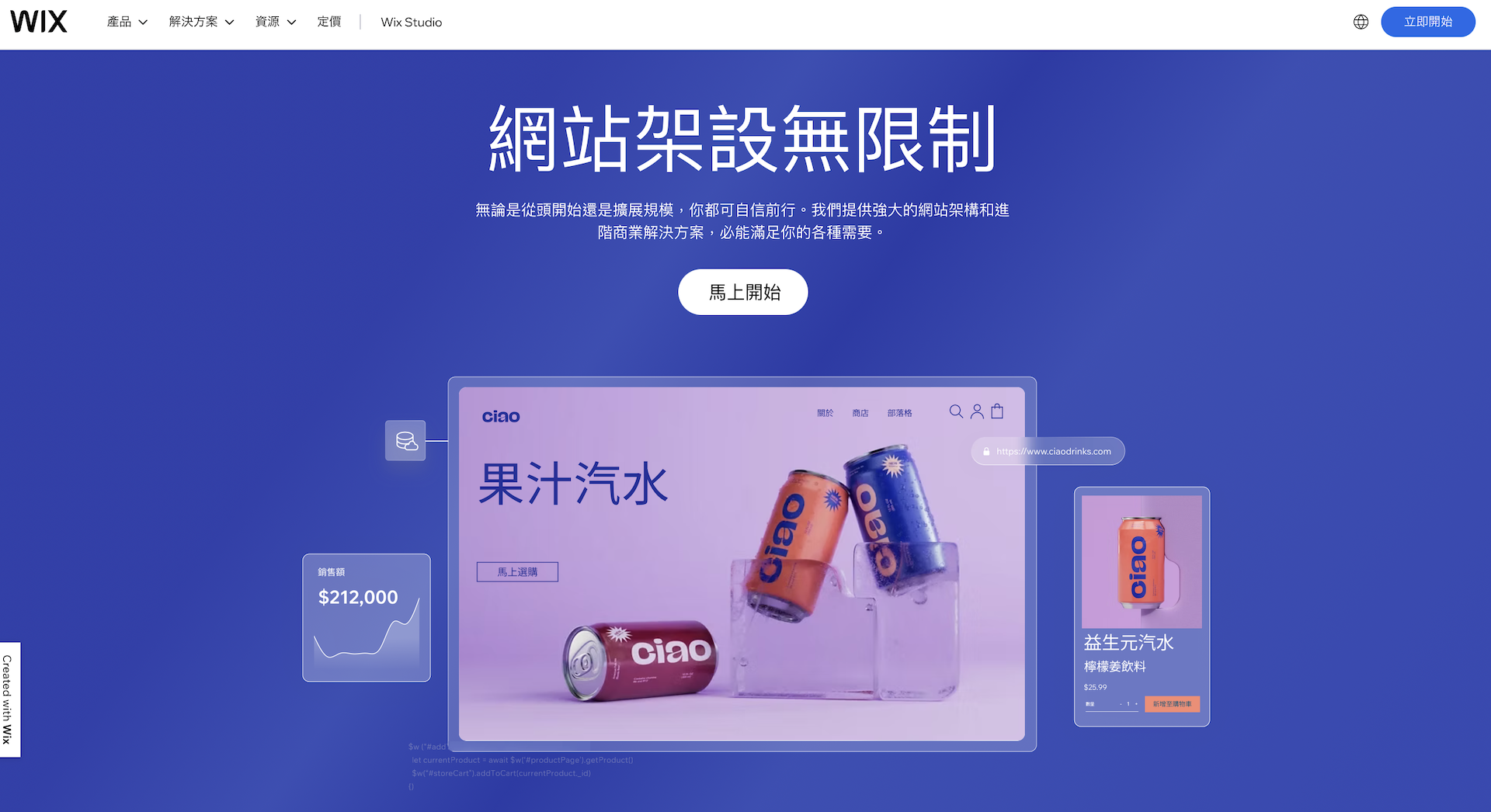
Wix is a well-known cloud-based website building platform, famous for its easy-to-usedrag-and-drop interface and rich visual templates. Wix has always been a leader in the website building industry and is constantly evolving. Therefore, it has one of the most feature-rich website generators on the market, and its performance is evident to all.
Wix interface offers the most language options on the market, and Chinese is one of them. This means that even if you don’t speak English, you can still enjoy a smooth and convenient website building experience. In addition, Wix also offers one of the best free plans on the market, allowing you to use almost all features for free, with a few exceptions such as e-commerce. Wix’s free plan includes over 900 free premium templates.
Pros
- Easy to Use: Wix’s core appeal lies in its exceptional user-friendliness.Drag-and-Drop Editormakes designing a website a breeze, even for those who might need more technical experience.
- Design Flexibility: Wix offers hundreds of visually appealing templates across categories like business, e-commerce, portfolios, and blogs, ensuring ample starting points for customization.
- Powerful Features and Apps: Wix boasts a robust set of built-in features and an extensive app market (Wix App Market). Enhance your website with booking systems, contact forms, image galleries, video integration, and more.
- Reliable E-commerce Capabilities: Wix provides reliable tools for building online stores. Features like inventory management, payment gateways, and shipping options make it suitable for small to medium-sized businesses.
- Most Popular:Wix is the world’s most popular website building platform, which indicates strong community support and user confidence.
Who is Wix best for?
- Beginners: Individuals or small businesses looking to quickly and easily establish an online presence.
- Creatives: Artists, photographers, etc., who focus on showcasing their work in a visually appealing way.
- Small to medium e-commerce businesses: Businesses with simple online store needs.
Wix’s extensive template library and easy-to-use editor make it a compelling choice for beginners and those seeking a visually appealing website. While Wix may have some limitations in terms of advanced scalability, its convenience and aesthetics remain highly popular.
2. Best Free Blogging Platform WordPress.com
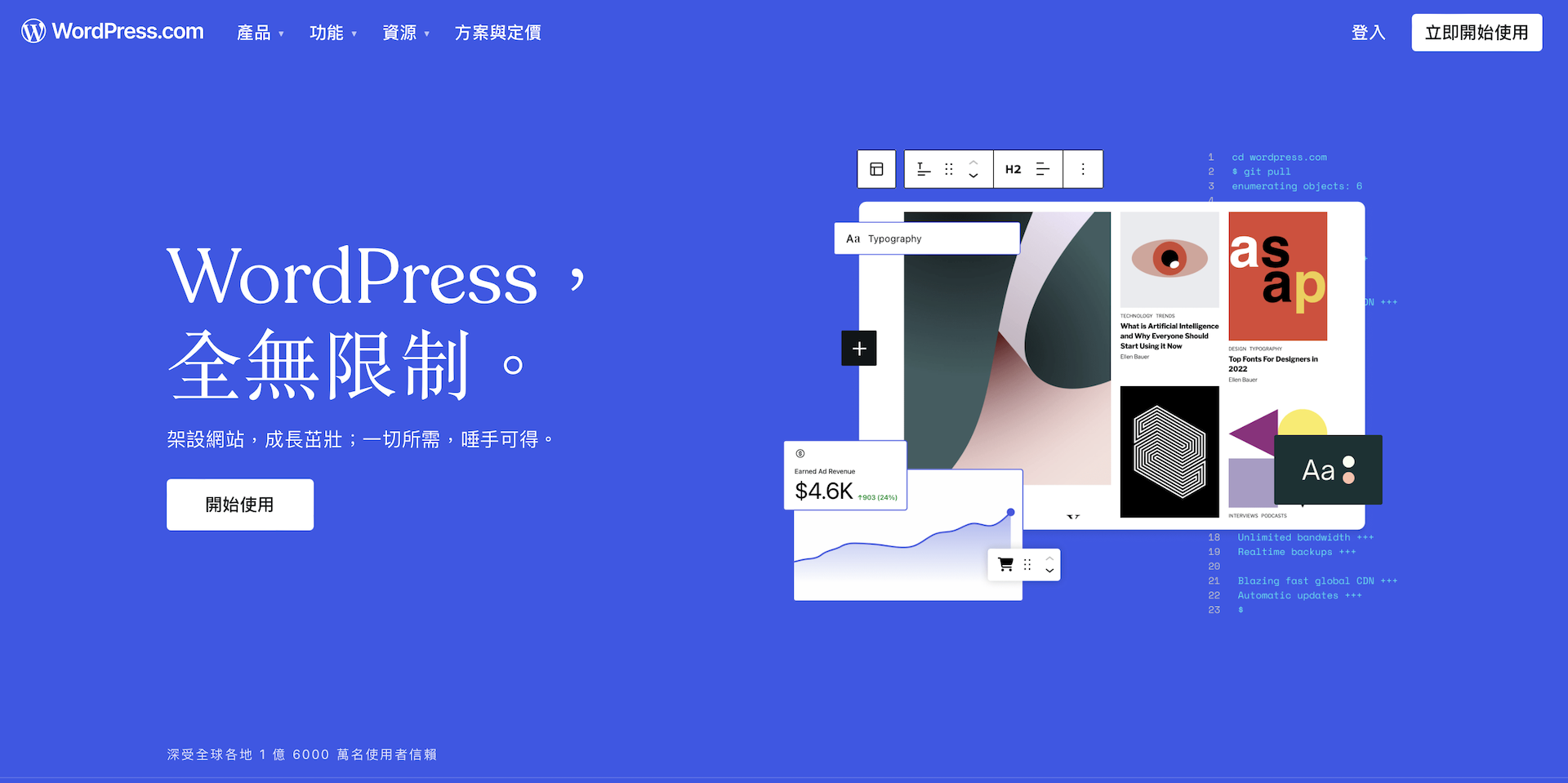
WordPress.com is the official hosted version of WordPress, the world’s most popular content management system (CMS)official hosted version, and unlike the self-hosted WordPress we use for our vendor sites, WordPress.com’s free plan offers an easy way to get started with the WordPress ecosystem.
Advantages
- Focus on Blogging Features: WordPress.com excels with its easy-to-use blogging tools. Creating and publishing posts with text, images, and embedded media is straightforward.
- WordPress Familiarity: The free version introduces you to the core WordPress interface, which is a valuable skill if you plan to expand to self-hosted WordPress later.
- Over 100 Excellent Free Themes: As an old-school CMS, WordPress is entirely theme-based. While you do have control over the layout of your content, most design choices are “made for you” based on the theme you choose.
- Community and Support: WordPress benefits from extensive community resources, tutorials, and forums. While some help is specific to the self-hosted version, much of it is still applicable.
- Global Reach: WordPress powers a significant portion of the web, indicating widespread recognition and potential compatibility advantages.
Who is WordPress.com (Free Version) Best For?
- New Bloggers: Perfect for those who want a simple platform to start writing and sharing content without worrying about technical setup.
- Learners: A great way to test WordPress basics before investing in a self-hosted website.
- Personal Websites with Limited Needs: These sites are suitable for hobby projects or simple online profiles where control and complex features are not a top priority.
The free version of WordPress.com is a good entry point into the world of blogging and WordPress. If you want to try it out and build a simple blog, it’s a convenient option. However, if the website requires advanced features or plugins, careful consideration is needed.
3. with the most powerful free plugin featuresElementor
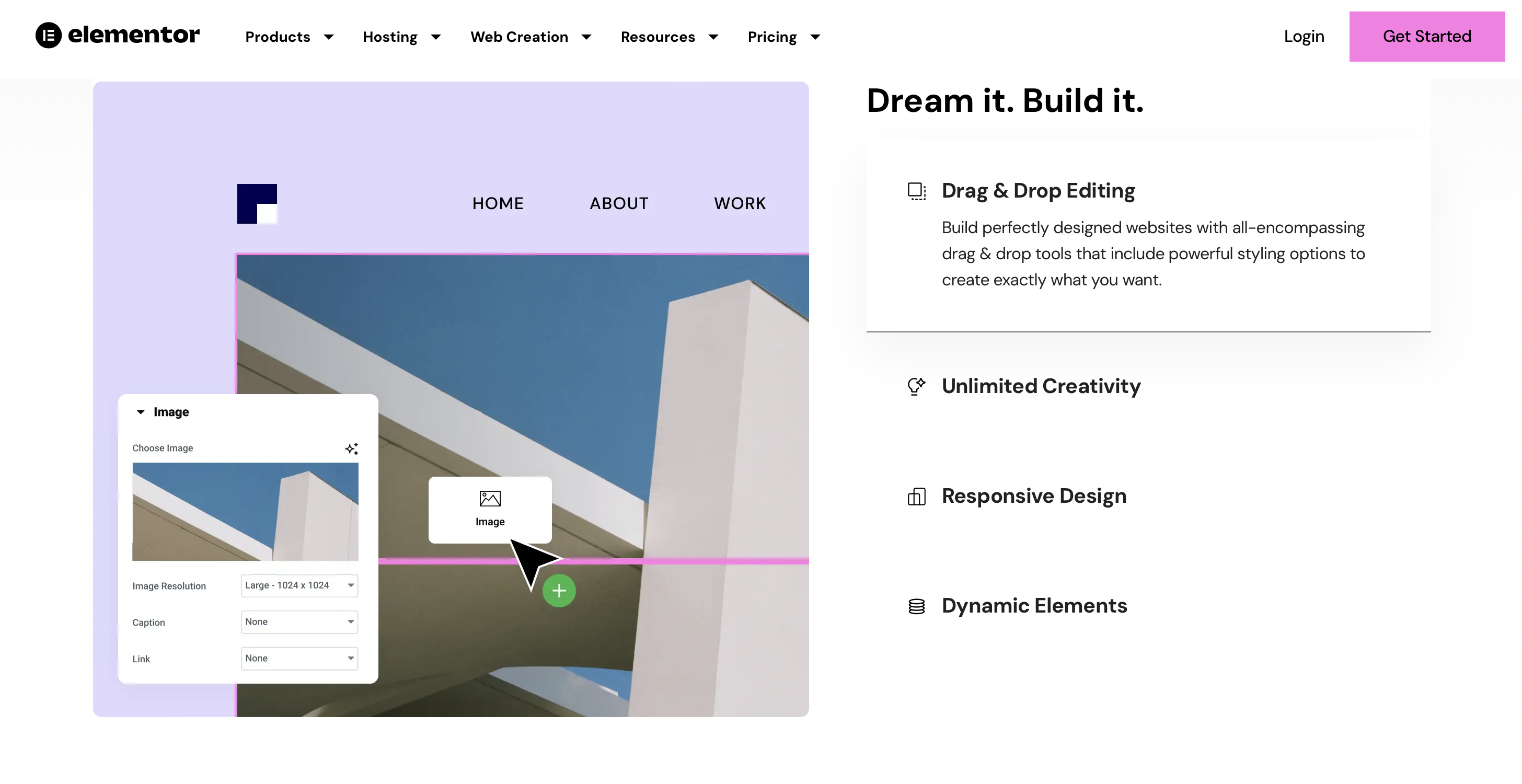
Elementor is the most popular WordPress plugin,offering a visual drag-and-drop website building experience. Its free version provides a solid foundation for creating custom designs within the WordPress environment. It is best suited for design-conscious individuals, creatives, and small to medium-sized businesses that want a user-friendly and visually appealing website, orespecially suitable for those familiar with WordPress or who want powerful SEO features。
Pros
- Easy-to-use visual editor: Elementor’s main advantage lies in its drag-and-drop interface. With it, you can design pages in real-time and see exactly how elements look without touching any code.
- The Power of WordPress: WordPress is great for blogs and content-driven websites, and it has a large ecosystem of themes and plugins.
- Responsive Web Design: Elementor makes it easy to adjust layouts for different device sizes (desktops, tablets, mobile), ensuring your website looks good everywhere.
- Pre-designed Templates: Access a large library of professional-looking templates to give your website design a quick start.
- Customization Options: While not as extensive as the Pro version, you still have decent control over colors, fonts, spacing, and backgrounds to shape your website’s appearance.
- Community Support: Elementor has a large and active community. You can often find help and tutorials online.
- Third-Party Add-ons (Apps): Extend Elementor’s functionality with community-developed third-party add-ons. Explore valuable add-ons to enhance your website building experience or create your own custom solutions.
- Multilingual Support: Create multilingual websites with plugins like WPML.
- Background Overlays: Add visual style and depth to sections with image, gradient, or video overlays.
- Global Styles: Set site-wide color, font, and typography presets for consistency.
Who is Elementor (Free) Best For?
Elementor is best for beginners, creatives, and small to medium-sized businesses looking for a user-friendly and visually driven way to build basic WordPress websites.
- WordPress Users: If you already have a WordPress site, Elementor is a great way to add more design capabilities without switching platforms.
- Content Creators: Bloggers or businesses who want more control over the layout and style of their posts and pages.
- Budget-Conscious Users: The free version allows you to create a functional website, although the upgraded version offers more sophisticated features.
Elementor (Free) offers a significant leap forward in design control and customization for WordPress users. Its easy-to-use interface and core widget set make it a great way to enhance the look of your content without breaking the bank.
4. Exclusive Business Card for Social Media Creators– Portaly
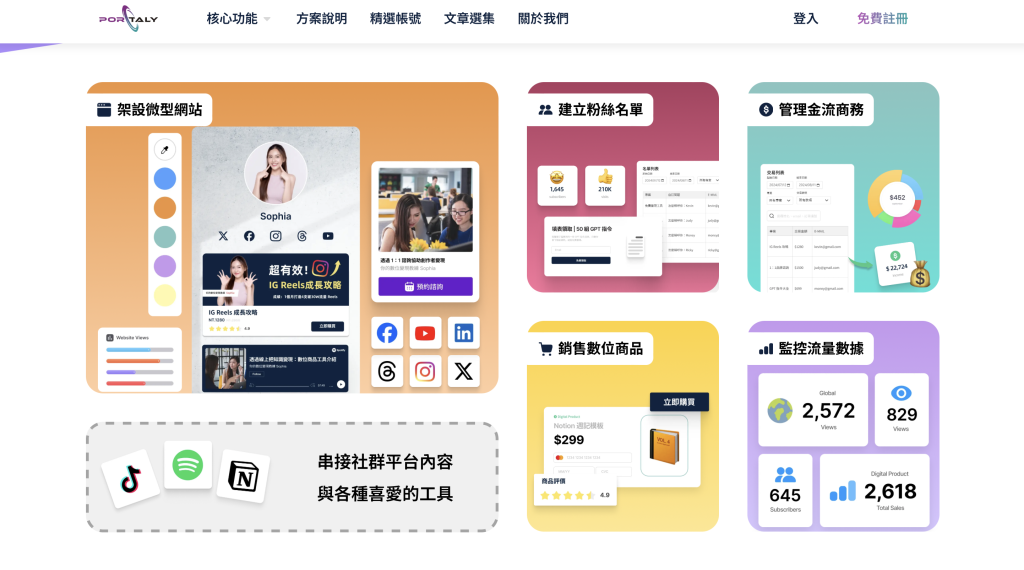
Portaly is a creator brand micro-website developed by a local Taiwanese team.Its main feature is allowing you to build your micro-website in just 3 minutes.。It integrates all social media resources in one place, linking your Instagram, YouTube, Podcast, and TikTok. It uses AI to help create an exclusive one-stop website to achieve business goals of traffic generation and sales.Additionally, Portaly also provides a comprehensive beginner’s guide, which, when used together, allows for easy creation of micro-websites with unique characteristics. In addition to its focus on exquisite micro-websites,you can also set up sponsorship pages, collaboration inquiries, and collect fan lists on Portaly.
Pros
- Chinese-friendly operating interface: The development team of Portaly is from Taiwan, so the operating interface is primarily designed in Traditional Chinese, providing an excellent user experience.
- Visually emphasized image and text content blocks: In addition to traditional text links, Portaly also supports adding content blocks that combine images and text. With concise text labels supported by images, it not only enhances the readability of the page content but also makes it easier to attract the attention of fans or consumers, increasing interaction.
- Convenience of Mobile Settings and Web ManagementUsers can quickly connect to Portaly’s backend via their mobile phones. Even when abroad, they can log in using a tablet or any browser for real-time management, quickly adding or modifying content as needed.
- Built-in Sponsorship Function and Virtual Product Sales ToolsPortaly provides a one-stop integrated service, allowing creators and KOLs to easily sell e-books, templates, consulting services, and online courses, helping convert social media traffic into tangible income. In addition, the built-in Portaly AI can assist in optimizing content presentation and sales strategies, improving business efficiency.
Who is Portaly best for?
- Personal Bloggers or Self-Media Operators:Multi-link tools are already essential for self-media operations. Having a comprehensive and rich multi-link page can make the journey of self-media operation twice as effective with half the effort.
- Micro-e-commerce OperatorsMany micro-e-commerce operators also monetize by driving traffic through self-media. For example, they can place links on Facebook fan pages, Instagram, and TikTok to direct users to their Portaly page, where they can then display the products they want to sell.
5. Super easy to get started, suitable for small websitesWeebly
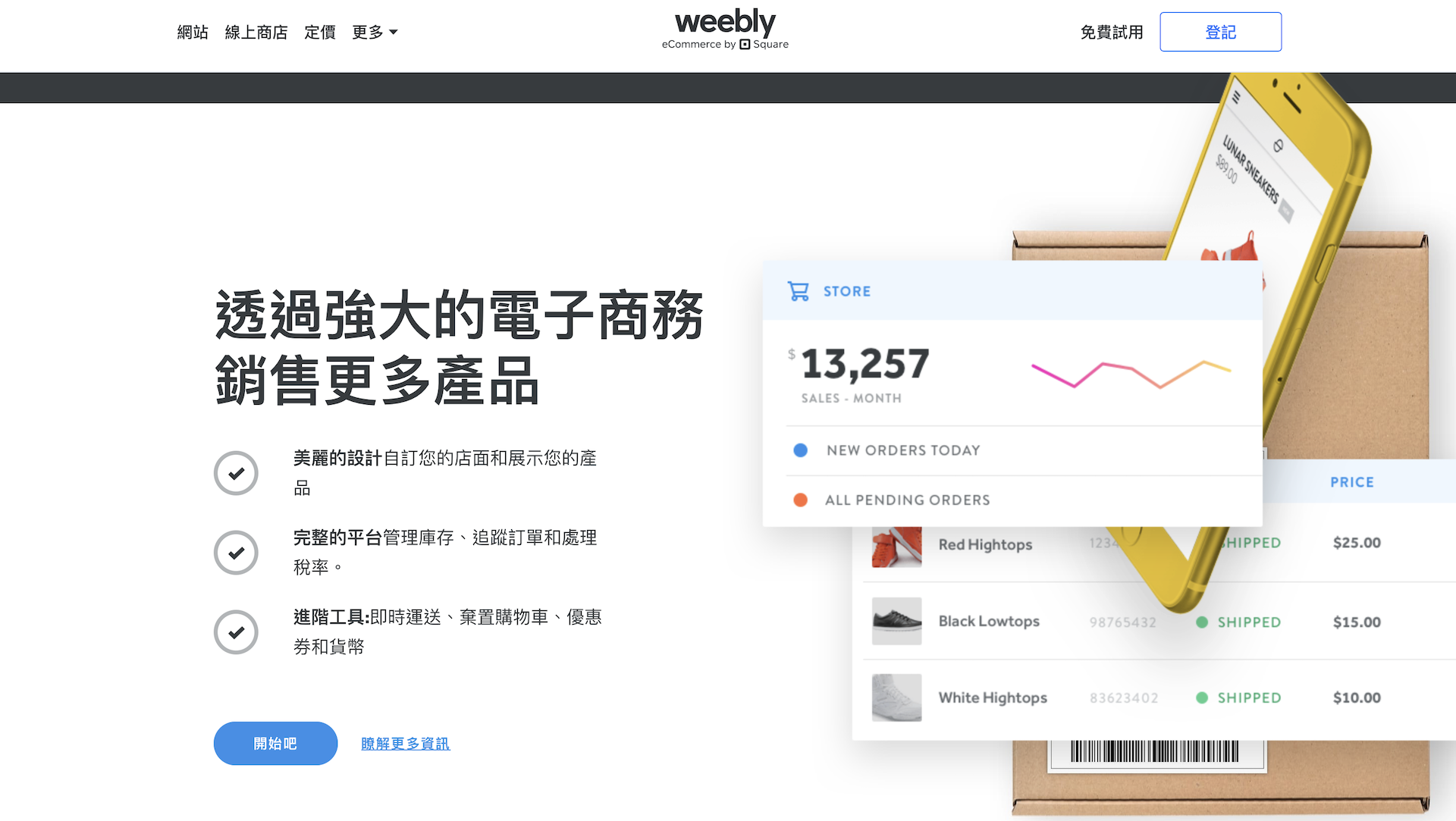
Weebly is a standalone website builder similar to Wix. Weebly is a long-standing AJAX-based website builder known for its excellent ease of use. Its free plan offers a simplified way to quickly build a basic website.
Pros
- Extremely Simple: Weebly’s core appeal lies in its drag-and-drop interface, making the website creation process very beginner-friendly.
- Clean Design: Weebly offers a range of modern and aesthetically pleasing templates, providing the perfect foundation for your website.
- Basic E-commerce: Notably, the free version allows you to open a small online store with core elements such as product listings, a shopping cart, and payment processing.
- App Center Support: The Weebly App Center offers a range of free and paid apps to extend your website’s functionality.
- Community and Support: Weebly has a well-established user base and support resources to help you get started.
Who is Weebly (Free Version) Best For?
- First-time website creators: Those looking to launch a website in the simplest way with minimal technical barriers.
- Small Projects: Ideal for personal portfolios, hobby blogs, or simple business landing pages.
Weebly’s free version excels at making simple websites very accessible. If you prioritize ease of use and need a basic online presence, it’s a great starting point. Larger, more complex websites might benefit from Weebly’s paid plans or the features and scalability offered by other builders.
6. Super easy and fast setupSITE123
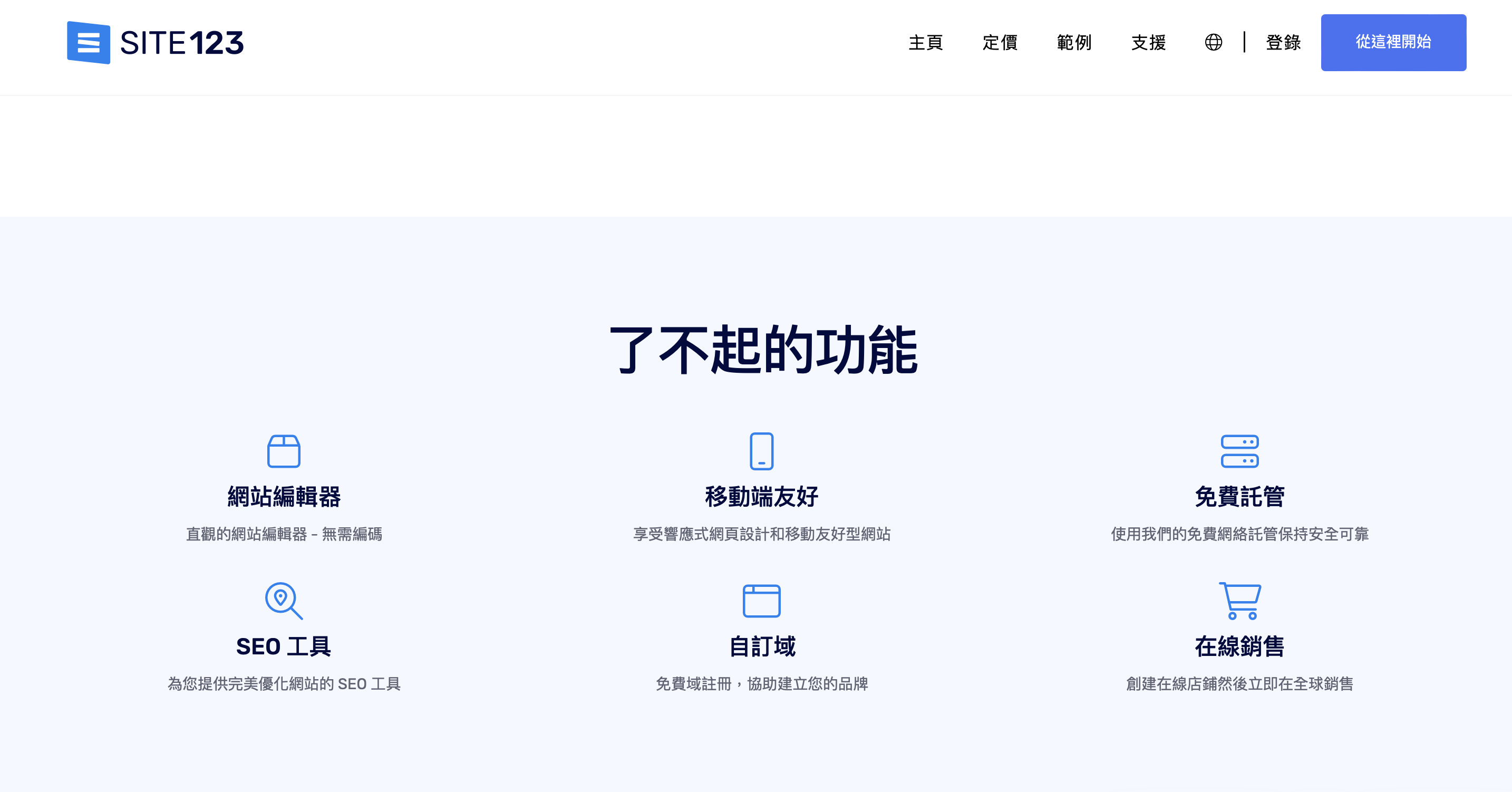
SITE123 focuses on speed and simplicity in website creation. Its free version offers a way to build a basic online presence with minimal technical knowledge.
Pros
Easy to Use: SITE123’s strength lies in its user-friendly interface. Ituses a structured rather than a full drag-and-drop approach, simplifying the design process.
- Quick Setup: With SITE123’s guided process, you can get a functional website up and running quickly.
- Good Templates: SITE123 offers a range of visually appealing templates that serve as a good starting point for various website types.
- Key Optimization Features: The free version includes basic SEO tools, social media integration, and the ability to add contact forms.
- Multilingual Support: SITE123 has strong multilingual capabilities, making it a good choice for websites that need to meet multiple language requirements.
Who is SITE123 (Free Version) best for?
- Absolute Beginners: Those completely new to website building will appreciate its structured approach and guidance.
- Simple Websites: Ideal for personal profiles, portfolios, or small business websites with simple information presentation needs.
- Quick Launch: If you need to get a website up and running quickly, SITE123’s emphasis on speed makes it attractive.
The free version of SITE123 is a good choice for individuals and businesses who need basic, easy online services. If you value ease of use and speed, and your website requirements are simple enough, it might be a good option.
7. Visual-First Design Web PlatformWebflow
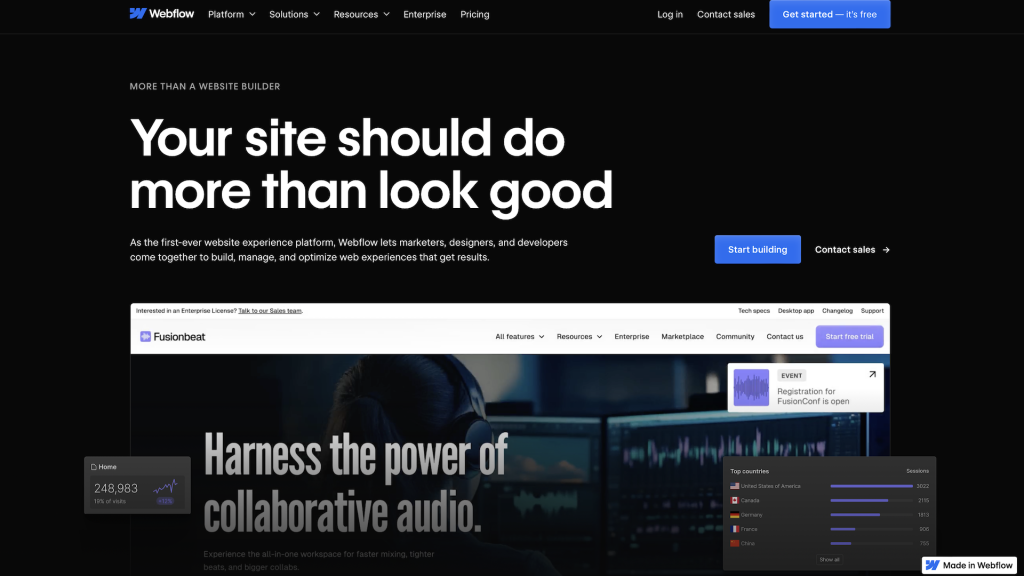
Webflow stands out in the website creation field for its incredible visual design control and focus on interactivity and animation, making it verysuitable for users with UI design experience.Its editor is powerful and rich in options, allowing users to flexibly customize every detail of their website. Whether seeking personalization in style or having high design requirements, Webflow can help users easily create unique websites.
Advantages
- Design Capabilities: Webflow uses concepts similar to professional design tools, giving you pixel-perfect control over your website’s layout and style.
- Animations and Interactions: Create eye-catching animations and micro-interaction features to add stunning effects to your website.
- Designer-Centric: If you have a design background or a strong desire to precisely craft your website’s visual effects, Webflow will resonate with you.
- CMS Functionality: Even the free plan includes basic Content Management System (CMS) functionality for creating dynamic, data-driven content like blog posts or project listings.
- Educational Value: Learning Webflow, even through the free version, can enhance your web design skills and understanding.
Who is Webflow (free version) best for?
- Web Designer Training: An excellent way to learn Webflow’s core concepts and build a design portfolio.
- Experimenters: If you have a design-oriented mind and are curious about Webflow’s unique features, it’s worth exploring without commitment.
- CMS Exploration: The free plan allows you to experience Webflow’s CMS for managing structured content.
Webflow’s free version primarily serves as a powerful learning tool and testing ground. If you’re seeking deep visual control and are willing to invest in learning the platform, it offers exceptional value despite its limitations.
When should you upgrade to a paid plan?
Free website builders can be a great starting point, especially for personal projects, hobby blogs, or short-term events like weddings or school assignments. If you have minimal content and don’t require advanced features, a free plan might benefit you in the long run. However, as your needs grow, the limitations of free plans often become apparent.
At the same time, it’s also necessary toconsider the long-term development of your brand, such as website storage space, traffic limits, accumulated search engine optimization (SEO), and potential future feature requirements.Considering these factors comprehensively can effectively reduce the potential costs of migrating or rebuilding your website later, further enhancing the value of your personal website.
If you’re building a website for professional or commercial purposes, you should consider upgrading to a paid plan. Free plans often come with unavoidable ads, platform-branded subdomains, and limited customization options, which can make your website look less professional and harder to find online.
On the other hand, paid plans allow you to connect custom domains, remove ads, and unlock features like e-commerce tools, advanced analytics, and additional storage, which are crucial for growing businesses or long-term projects.
Ultimately, when a free plan starts to hinder you, it’s time to upgrade. Whether it’s insufficient storage, the need for more bandwidth, or the desire for better control over your brand, investing in a premium plan can ensure your website grows with your goals.
If you still have questions about website building platforms or wish to receive assistance from a professional team, please feel free to contactOrcaBiz SEO Digital Marketing, to provide you with professional advice andwebsite setup services!
Frequently Asked Questions
What are free website builders?
Free website builders are tools that allow you to create a website without programming knowledge. They typically offer drag-and-drop interfaces, templates, basic SEO, and website hosting features. They are suitable for personal brands, blogs, small businesses, or short-term projects, enabling you to quickly build a professional website without high costs.
What key factors should be considered when choosing a free website platform?
An excellent platform should have: 1. Ease of use (drag-and-drop editor, templates); 2. Customizability (fonts, colors, responsive design); 3. Comprehensive features (blog, forms, SEO tools); 4. Community and technical support; 5. Built-in hosting or integration with third-party hosting.
Are there any recommended free website builders?
The seven recommended platforms include: Wix (high flexibility), WordPress.com (best blogging platform), Elementor (WordPress visual editor), Portaly (creator multi-link business card), Weebly (simple and easy to use), SITE123 (quick setup), Webflow (professional design and animation).
What are the limitations of free website platforms?
Free plans usually have feature limitations, such as: inability to use custom domains, display of platform ads, limited storage space and traffic, and restricted e-commerce functions. If you have long-term operation or business needs, it is recommended to upgrade to a paid plan to get more professional features and brand control.
When should you consider upgrading to a paid plan?
When the free plan starts to limit website growth, such as needing more storage space, traffic, SEO features, custom domains, or e-commerce tools, you should consider upgrading. For professional brands and business websites, a paid plan can provide more complete features and a more professional brand image.