
Whether you are a content marketer, SEO specialist, or a brand owner just getting started, choosing the right keywords is no longer only about search volume. It is about understanding what people are thinking about, what they are searching for, and when interest is rising.
Google Trends is a free trend observation tool that helps marketers see how popular search terms change over time and across regions. It is also a great way to turn raw search behavior into content ideas with real potential.
In this guide, we will walk through how Google Trends works, how to use it in practice, and why the upcoming Google Trends API matters for data analysts, SEO practitioners, and automation builders.
What is Google Trends?
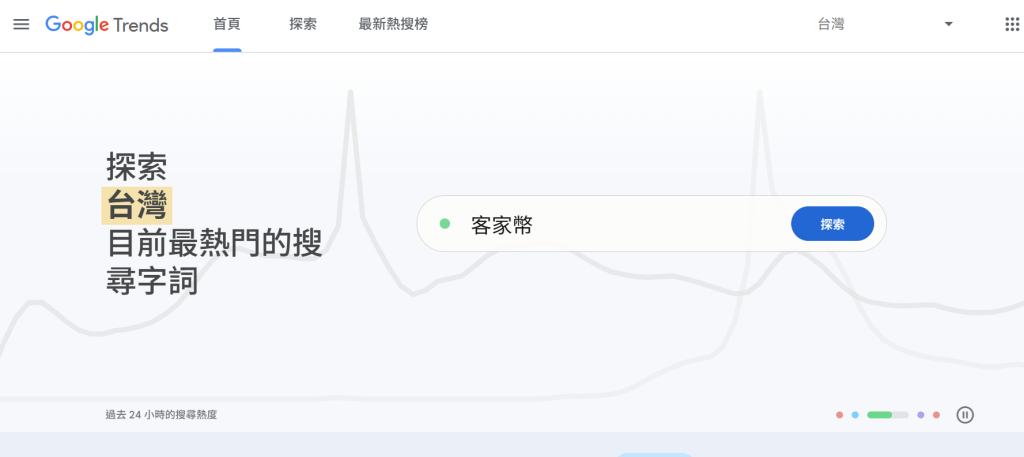
Google Trends is a free data visualization platform from Google that lets you track how interest in a keyword or topic changes over time and by location.
Unlike a keyword volume tool, Trends does not show absolute search counts. Instead, it normalizes search interest into a 0 to 100 index so you can compare terms and see how interest changes across time.
Some especially useful features include:
- Compare multiple keywords: Compare up to five keywords at once.
- Location and language filters: Narrow the data by country or city.
- Time range selection: View recent interest or long-term patterns going back to 2004.
These features are useful not only for SEO strategy, but also for content ideation and product planning.
For example, a baby product brand can use Google Trends to see that terms like baby food recipes often rise in specific seasons. If you plan content two months before the peak, you can capture demand before competitors do.
You may also like: What is search intent? Why it matters so much for SEO rankings
How can Google Trends support marketing and product planning?

Google Trends is not just a query tool. It helps you interpret customer demand and make better decisions. It lets you see what people care about and where attention is moving next.
Content marketing: capture the peak at the right time
If you run a blog, YouTube channel, or brand social account, choosing the right topic is everything. For example, a travel creator can use Trends to see that terms like autumn leaves or Hokkaido self-drive trips start rising in late summer. That means you should not wait until the season starts to publish.
Ecommerce product selection: predict demand
For ecommerce teams, Google Trends can help with product planning and ad timing. We once found that a cleaning-related keyword started peaking in spring, before summer heat arrived. By promoting the right products early and publishing helpful content, traffic and conversions rose significantly.
Media and PR: monitor the social pulse
If you work in media or public relations, Google Trends can act like an issue radar. You can check trending queries to see what the public is reacting to right now. That helps editors and brand teams respond faster.
You may also like: What is a topic cluster? Publishing more articles without a focus no longer works – core pages are what matter
Practical tips for using Google Trends
Many people only type in one keyword, glance at the chart, and stop there. If you want to make the tool actually useful, there are a few advanced habits worth learning.
Tip 1: Compare topics, not just words
Google Trends lets you compare up to five keywords. That is useful for seeing whether one topic is growing faster than another. For example, a design blog could compare styles like Muji, Scandinavian, minimal, and wabi-sabi to see which trend is emerging.
Tip 2: Look further back than the default range
The default view is often the last 12 months, but many trends are seasonal. Use longer time ranges such as the last five years or even since 2004 to understand cycles.
Tip 3: Use region and platform filters
You can filter by location and even by platform such as YouTube, Images, or News. That is especially useful when planning local campaigns or video content. A keyword may be weak in Google Search but strong on YouTube, which may mean you should produce video instead of an article.
Editor’s note
A score of 100 in Trends does not mean the keyword is the most searched term in the world. It only shows relative interest. High-interest terms may be exciting, but smaller long-tail terms are often easier to win and more valuable for SEO.
The Google Trends API is coming
For a long time, Google Trends had no official API, which made automation and reporting difficult. In July 2025, Google announced the Trends API alpha, which is a major step toward open data access.
- For marketers: You may eventually integrate trend changes into your content system and automate topic suggestions.
- For analysts and SEO teams: Trends data can be combined with GA, Search Console, and CRM data to create a more complete view of market demand.
Google is still in testing, but you can apply for alpha access now if you want to explore it early.
You may also like: GA4 user properties: understand your audience and find better leads
Conclusion
Google Trends may look simple, but it is a powerful tool for content planning, product selection, brand monitoring, and strategy. With the upcoming API, trend-driven workflows will become even more useful for data teams and marketers.
The real skill is not just reading the data. It is turning those signals into content and marketing actions at the right time.
References: