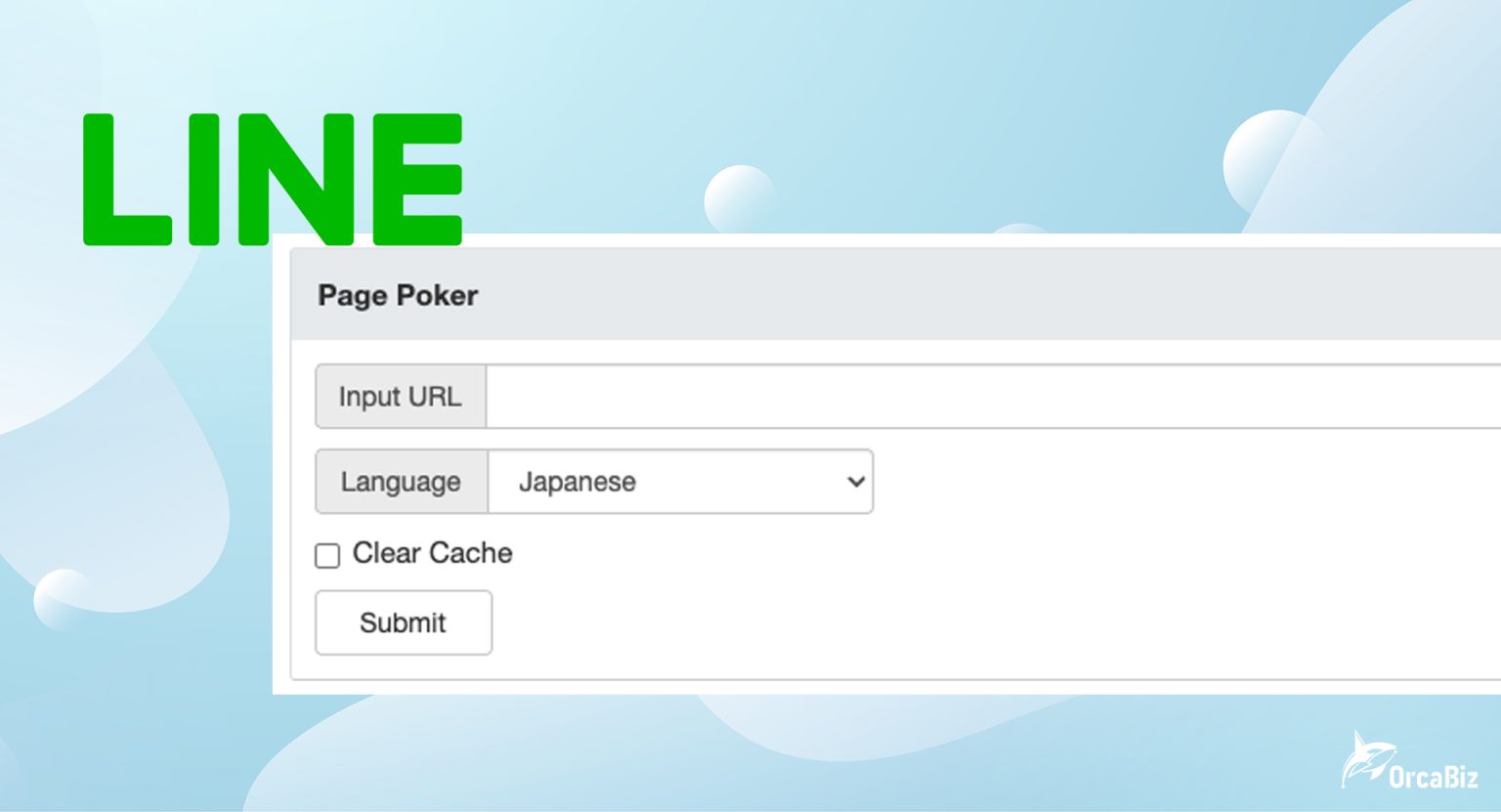
In the past, many people used LINE Page Poker to clear cache when LINE shared links kept showing old images or old titles. The problem now is that LINE Page Poker has been discontinued or is no longer stable, so if you update a post cover image, title, or description, you can no longer rely on Page Poker alone to refresh the preview.
This article整理s the practical ways to handle it today: first check your OGP tags, then clear your website and CDN cache, and finally use a URL variation to make LINE crawl the page again. It is not as simple as the old one-click cache clear flow, but it is the most realistic fix now that Page Poker is gone.
ORCABIZ CONSULTANT NOTE
OrcaBiz note: after Page Poker was discontinued, LINE preview images are no longer something you can clear with a single button. Check the OGP first, then use a URL variation to trigger a fresh crawl. That is usually the more reliable workflow.
Why Does LINE Keep Showing Old Preview Images?
When social platforms and messaging apps handle link previews, they usually read the page’s meta information first, such as the title, description, and cover image, and then store that data in their own cache. The next time someone shares the same URL, the platform can show the preview faster without fetching the whole page again.
That is also the reason the preview can go stale. You may have already updated the image in WordPress, but LINE can still be serving the older cached version, so the chat preview continues to show the old image, title, or description.
- You changed the cover image, but LINE still shows the old one.
- You updated the SEO title or excerpt, but the LINE preview did not change.
- Facebook looks correct, but LINE still shows the wrong image.
- The same URL looks different on different phones or in different chats.
LINE Page Poker Is Discontinued, So Is There an Alternative?
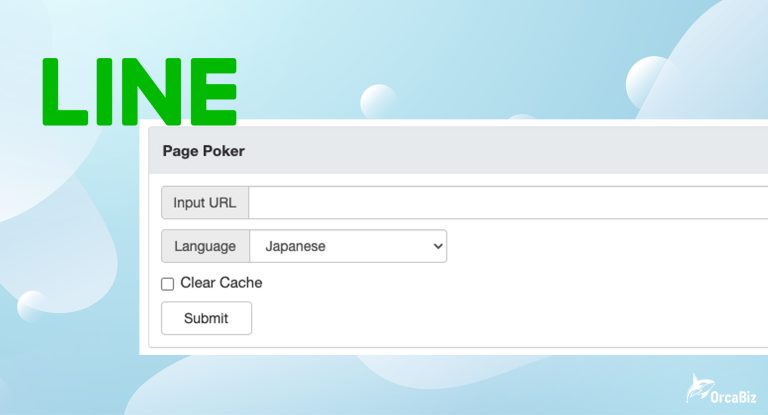
The old purpose of LINE Page Poker was simple: enter a URL, choose a language, check Clear Cache, and ask LINE to fetch the preview again. After the tool was discontinued, LINE has not provided a fully equivalent public replacement.
So if you still search for “LINE Page Poker cache clear,” you may find old tutorials, but they will not always work anymore. This article keeps the old workflow for reference, but focuses on the methods that actually help today.
Fix 1: Check Whether Your OGP Tags Are Correct
According to the LINE Developers FAQ, LINE URL previews mainly use Open Graph Protocol, or OGP tags. LINE clearly lists these three tags:
og:title: the title shown in the preview.og:description: the summary shown in the preview.og:image: the image shown in the preview.
So the first step is not to rush into cache clearing. Check whether your page source already contains the updated OGP values. If og:image is still pointing to the old image, LINE cannot possibly show the new one.
How Can WordPress Users Check?
- Open the page on the front end.
- Right-click and choose View Page Source.
- Search for
og:title,og:description, andog:image. - Confirm whether the title, description, and image URL are already the latest versions.
If you use Rank Math, Yoast SEO, or another SEO plugin, also check the social sharing image field. On some sites, the featured image is already updated, but the social image is still old, which means LINE can keep pulling the stale preview.
Fix 2: Clear Website Cache, CDN Cache, and SEO Plugin Cache
If the OGP settings are correct but the source still shows old content, the problem is usually cache. In that case, clear your own website cache first. Otherwise LINE will just re-fetch the outdated page.
- WordPress cache plugins: such as WP Rocket, LiteSpeed Cache, FlyingPress, and W3 Total Cache.
- Host cache: some hosting dashboards include Server Cache or Page Cache.
- CDN cache: for example Cloudflare, where you need Purge Cache.
- SEO plugin cache: after updating social images or excerpts, re-save the post and clear cache.
- Image cache: if the old and new images use the same filename, upload a new file name to avoid stale CDN or platform cache.
In practice, we recommend that important campaign pages, ad pages, or clinic promotion pages use a new image filename whenever the cover image changes. Do not overwrite the same image URL. That makes it much less likely for LINE, Facebook, or a CDN to keep serving the old file.
Fix 3: Use a URL Variation to Force LINE to Re-Crawl
After Page Poker was discontinued, if LINE still shows the old image, try a URL variation to trigger a new crawl. Add a harmless parameter to the end of the URL, for example:
https://example.com/page?v=20260527
https://example.com/page?line_cache=1
https://example.com/page?utm_source=line
LINE may treat parameterized URLs as new URLs and fetch the OGP again. This is not an official cache clearing tool, but in practice it is one of the most common workarounds when Page Poker is unavailable.
One caution: for production SEO pages, do not scatter too many parameterized URLs around the web. A better approach is to use a parameterized URL to test the LINE preview, confirm the new image appears, and then decide whether to share the original URL or the parameterized version.
Fix 4: Use Other Platform Debuggers to Confirm Your OGP
Facebook, LinkedIn, X, and LINE do not share the same cache, but their debuggers can still help you answer one important question: is your OGP set up correctly?
- Facebook Sharing Debugger: checks what Facebook sees and can refresh the crawl.
- LinkedIn Post Inspector: tests LinkedIn link previews.
- OpenGraph.xyz / OpenGraphDebug: quickly checks whether the OGP metadata is complete.
- TryUnfurl: checks how a URL will expand into a preview.
If these tools show the new image but LINE still shows the old one, your website OGP is probably fine and the issue is more likely on LINE’s side. In that case, go back to the URL variation trick or wait for LINE to update its cache automatically.
Old LINE Page Poker Workflow: Clearing the Cached Preview Image
Below is the old workflow used when Page Poker still worked. Keep it as a reference if you need to understand the process. If the tool no longer works, use the alternatives above instead.
1. Open the Tool Website
The old tool URL was https://poker.line.naver.jp/. It may no longer function properly now.
2. Enter the URL and Choose the Locale
- Paste the page URL you want to refresh.
- Choose Chinese-Taiwan or the appropriate locale.
- Check Clear Cache.
- Click Submit.
3. Check Whether the Title and Image Updated
If the tool is still available, verify whether the title and image shown on the page are updated, then post the URL again in LINE to test the preview.
LINE Preview Update Checklist
If you are not sure where to start, follow this order:
- Confirm the article title, summary, and featured image are updated.
- Confirm the social sharing image in your SEO plugin is not stale.
- Check the page source for
og:title,og:description, andog:image. - Clear WordPress cache, host cache, and CDN cache.
- If the old and new images use the same filename, upload a new file name instead.
- Use Facebook Debugger or another OGP tool to confirm the meta tags are correct.
- Test the original URL in LINE.
- If it is still stale, try a parameterized version such as
?v=YYYYMMDD.
How Can WordPress Sites Avoid LINE Showing Old Images?
If your site shares articles to LINE often, it is better to have a repeatable workflow instead of fixing things only after they break.
- Set the featured image and social image before publishing.
- Use at least 1200 x 630 px for images so platforms crop them more consistently.
- Do not reuse the same filename over and over, such as
cover.jpg. - For campaign pages, upload a new file whenever the main visual changes.
- After updating, clear your site cache before testing in LINE.
- For important pages, keep a simple preview QA checklist so you do not discover broken previews after the campaign is live.
If you run a medical, dental, fertility, or health media site, be especially careful with share previews. The LINE preview image and title are often the first thing users see, so an outdated image or unclear description can hurt trust immediately.
FAQ
Q1: Can LINE Page Poker still be used?
A: LINE Page Poker is currently discontinued or unstable, and LINE has not provided an identical replacement. The practical workflow now is to verify your OGP tags first and then use URL variations or re-sharing to trigger a fresh crawl.
Q2: What should I do if the LINE preview image does not update?
A: First confirm that og:image in the page source is updated. Then clear website cache, CDN cache, and SEO plugin cache. If LINE still shows the old image, try a parameterized URL such as adding ?v=20260527 and test again in LINE.
Q3: Which meta tags does LINE preview use?
A: According to the LINE Developers FAQ, LINE URL previews mainly use the Open Graph Protocol tags og:title, og:description, and og:image. If OGP is missing, LINE may fall back to the page title or description.
Q4: Does adding parameters to a URL affect SEO?
A: If you only use parameters for testing or sharing LINE previews, it is usually fine in small amounts. But do not create too many parameterized URLs as a replacement for the canonical one. For SEO pages, keep the canonical URL pointed at the original page so search engines do not treat it as duplicate content.
Q5: Why did Facebook update but LINE still shows the old image?
A: Different platforms use different cache systems. Facebook can be refreshed with Sharing Debugger, but after Page Poker was discontinued, LINE cannot always be cleared instantly. That is why you should verify the OGP first and then test the link directly in LINE.
Q6: How can a WordPress site avoid LINE pulling stale images?
A: Set the featured image and social image in Rank Math or your SEO plugin, clear cache after updates, and clear object cache / CDN cache too. For important campaign pages, test the preview in LINE before the page goes live.
References
- LINE Developers FAQ: URL preview and OGP tags
- LINE Developers: LIFF overview
- LINE Developers: Use LINE features with the LINE URL scheme
- Facebook Sharing Debugger
- TryUnfurl: Link Preview Checker
If you need help checking your website’s OGP, social share image, SEO summary, or article structure, you can also refer to OrcaBiz SEO consulting or read How to Choose an SEO Company first.
Frequently Asked Questions
Can LINE Page Poker still be used?
LINE Page Poker is currently discontinued or unstable, and LINE has not provided an identical replacement. The practical workflow now is to verify your OGP tags first and then use URL variations or re-sharing to trigger a fresh crawl.
What should I do if the LINE preview image does not update?
First confirm that og:image in the page source is updated. Then clear website cache, CDN cache, and SEO plugin cache. If LINE still shows the old image, try a parameterized URL such as adding ?v=20260527 and test again in LINE.
Which meta tags does LINE preview use?
According to the LINE Developers FAQ, LINE URL previews mainly use the Open Graph Protocol tags og:title, og:description, and og:image. If OGP is missing, LINE may fall back to the page title or description.
Does adding parameters to a URL affect SEO?
If you only use parameters for testing or sharing LINE previews, it is usually fine in small amounts. But do not create too many parameterized URLs as a replacement for the canonical one. For SEO pages, keep the canonical URL pointed at the original page so search engines do not treat it as duplicate content.
Why did Facebook update but LINE still shows the old image?
Different platforms use different cache systems. Facebook can be refreshed with Sharing Debugger, but after Page Poker was discontinued, LINE cannot always be cleared instantly. That is why you should verify the OGP first and then test the link directly in LINE.
How can a WordPress site avoid LINE pulling stale images?
Set the featured image and social image in Rank Math or your SEO plugin, clear cache after updates, and clear object cache / CDN cache too. For important campaign pages, test the preview in LINE before the page goes live.