“Hey, do you have a lobster?”
OpenClaw (formerly Clawdbot, nicknamed “little lobster” by the community) marks an important turning point in AI agent development. In 2026, AI has moved beyond simple back-and-forth conversation and entered a new stage with real execution power.
It has already become one of the fastest-growing open-source projects on GitHub and has even been praised by NVIDIA CEO Jensen Huang. As a team that helps businesses implement automation in the real world, we have seen how powerful this shift can be. In this article, we will cover OpenClaw’s main features, operating cost, deployment options, and the security risks you need to watch out for.
Key terms:
- AI Agent: an intelligent system that combines a language model, tools, and memory so it can break down and complete complex tasks on its own.
- Indirect Prompt Injection: a security attack where malicious instructions are hidden inside a webpage or file and trick the AI into doing something unexpected.
- Token: the basic unit a language model processes. OpenClaw consumes tokens constantly while it thinks and acts.
- Persistent Memory: the ability to keep context across conversations for days or weeks instead of forgetting everything after each chat.
- Gateway: the access-control layer that blocks unauthorized requests and is the first line of defense against remote command injection.
1. What is OpenClaw? From chatting to doing
OpenClaw is an open-source AI agent framework released in late 2025 by Austrian AI developer Peter Steinberger.
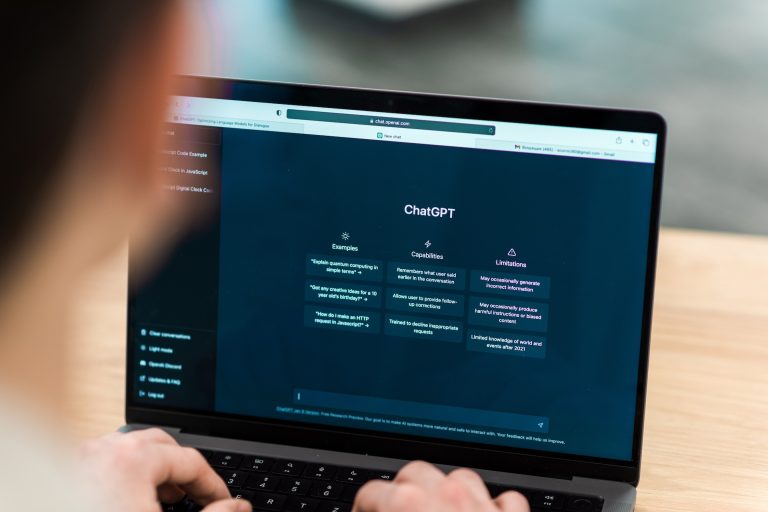
Unlike passive chatbots such as ChatGPT, OpenClaw has active execution power.
You can give it a high-level instruction, like organizing PDFs in a folder and generating a financial summary, and it will plan the steps, operate the environment, and complete the goal on its own.
2. Four core features worth knowing
OpenClaw is highly extensible. Its biggest strengths are:
1. System-level access
It can safely access Excel files, read and write local files, run shell commands, and even take over browser operations.
2. Persistent memory
Instead of resetting after every chat, OpenClaw can remember context across conversations for weeks.
3. Proactive task execution
It can keep working in the background, break down complex work, find solutions, install tools, and remove blockers automatically.
4. Multi-platform remote control
It supports integrations with Telegram, WhatsApp, and Discord, and can also be triggered through voice on macOS, iOS, or Android.
In real client projects, we found persistent memory and autonomous troubleshooting to be game changers. OpenClaw can remember a brand tone for weeks and even try to find a new button after a site redesign. That kind of behavior dramatically improves automation stability.
3. OpenClaw vs. a traditional chatbot like ChatGPT
| Feature | OpenClaw | ChatGPT |
| Nature | AI agent | Chat AI |
| Can it actually do things? | ✅ Yes, directly | ❌ Only explains how |
| Computer control | ✅ Reads/writes files, runs code | ⚠️ Sandbox only |
| Task execution | ✅ Continuous automation | ❌ One prompt at a time |
| Always on? | ✅ 24-hour background execution | ❌ Stops when the chat ends |
| Memory | ✅ Long-term memory | ⚠️ Limited memory |
| Deployment | Local machine | Cloud |
| Difficulty | ❗ Higher setup effort | ✅ Very easy |
Simple analogy:
- ChatGPT = consultant
- OpenClaw = employee
You may also like:
ChatGPT Prompt Guide: Learn how to write effective instructions
What is Google AI Mode? Traditional Chinese version is now live
4. How to get started with OpenClaw
There are two main ways to deploy OpenClaw:
- Cloud server approach: deploy OpenClaw on AWS or Google Cloud and control it remotely from your phone. Best for 24/7 automation.
- Local deployment approach: install it on your own computer so it can directly access local files and resources. Better for sensitive or private data.
OpenClaw cost analysis
OpenClaw is open source, so the total cost usually comes from three parts: software, model API usage, and infrastructure.
1. Software licensing: free
- The core code is free on GitHub under the MIT license.
- There is also a hosted version, OpenClaw Cloud, which costs about US$59/month and includes server maintenance, a GUI, and one-click setup.
2. Core cost: model API usage
This is where the real cost comes from. Because OpenClaw is an autonomous agent, it keeps talking to large models such as Claude 3.5 Sonnet, GPT-4o, or Gemini 1.5 Pro while it works. That creates a lot of token usage.
| Task type | Estimated cost | Notes |
| Simple tasks | US$0.1 – US$0.5 | Light web browsing and text generation. |
| Complex tasks | US$5 – US$20 | Multiple thinking loops and long context. |
| Heavy users | US$500 – US$1000+ / month | Without optimization, API bills can explode. |
A common community joke is that OpenClaw can burn through US$25 of API credits in just 10 minutes if you do not set a budget cap.
5. Why OpenClaw went viral
1. A shift from brains to hands
AI development used to focus on dialogue. OpenClaw represents the maturity of AI agents.
- Autonomous execution: it can operate browsers, click buttons, fill out forms, and use tools.
- Skill ecosystem: developers can teach it new tasks quickly using reusable Skills, which lowers automation barriers.
2. Community-driven and personified branding
OpenClaw’s red lobster mascot and open-source story made it feel approachable and highly shareable.
3. Big-name endorsements
OpenAI’s reported interest and Jensen Huang’s praise pushed OpenClaw further into the spotlight.
4. A quick timeline
| Late 2025 | Predecessor released | Initial developer attention |
| Jan 2026 | Renamed and open sourced | GitHub stars passed 100k quickly |
| Feb 2026 | OpenAI acquisition rumors / confirmation | Founder joined OpenAI; foundation model governance |
| Mar 2026 | Jensen Huang mentions it at GTC | Stars passed 250k; global open-source sensation |
6. Is OpenClaw safe?
OpenClaw can do things like a real person, but powerful permissions create major security risks. Here are the biggest ones.
1. Indirect prompt injection
When the AI reads a webpage or email, an attacker can hide instructions inside the content and trick it into leaking data or ignoring the original task.
2. Browser permissions and credential leaks
If you paste API keys or passwords into prompts, they can be exposed. If OpenClaw has access to Gmail or Slack, it may be able to send messages or delete important mail if it is misled.
3. Hidden API costs
If the agent gets stuck in a loop, it can burn through hundreds of dollars in minutes.
7. How to use OpenClaw safely
If you decide to try it, follow these three rules:
- Isolation: run it in a VM or Docker, not on your main computer.
- Budgeting: set a hard limit with your API provider.
- Least privilege: give it only the permissions it really needs.
Conclusion
OpenClaw is more than an AI tool. It represents a major shift from “information delivery” to “real execution.” For anyone who wants to integrate AI into workflows and automate tasks, it is a powerful tool and a sign that the AI agent era is truly here.
Key takeaways
- System-level access and persistent memory make it far more capable than a typical chatbot.
- API costs can be high, especially for complex autonomous tasks.
- Security controls matter: use sandboxing, password protection, and strict permission limits.
References