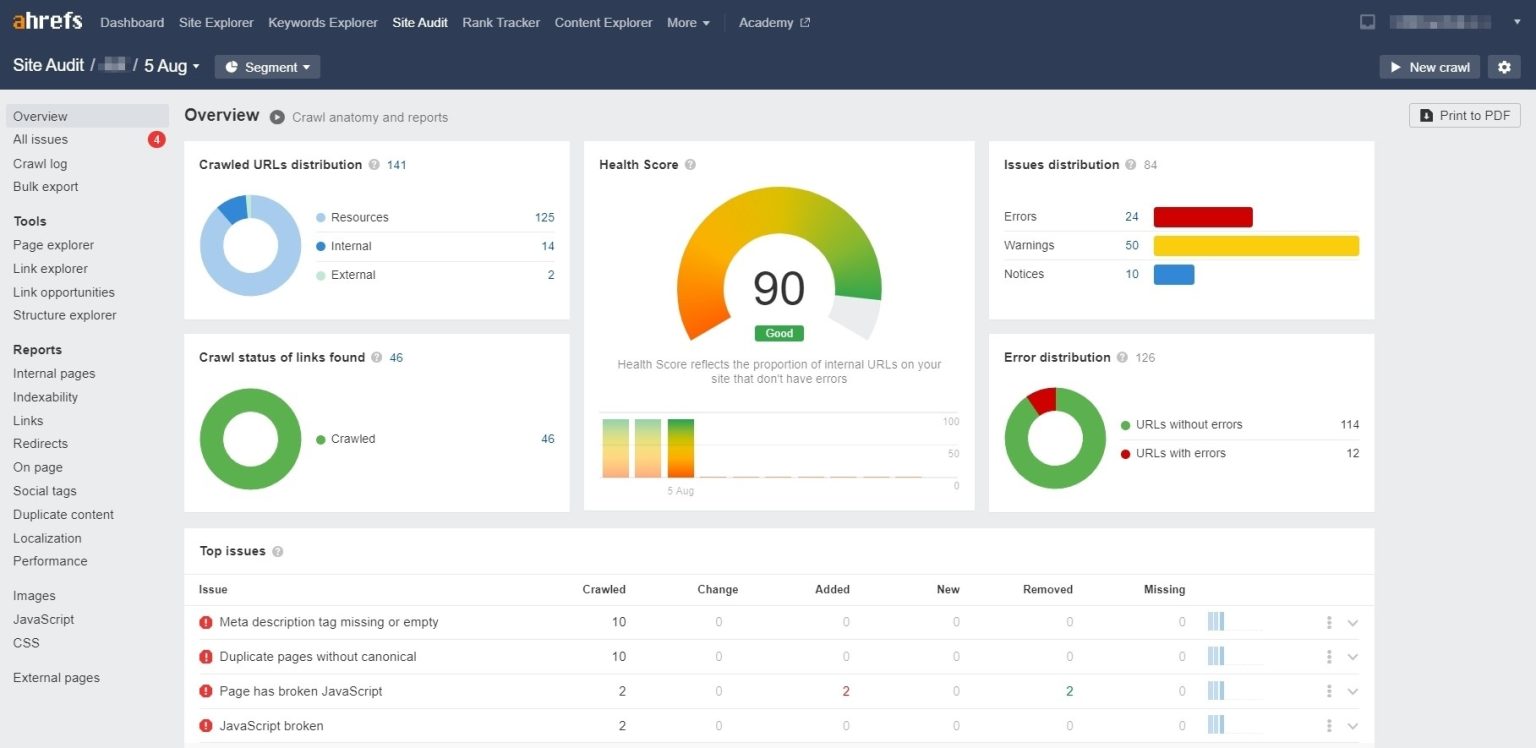
Want to improve your website’s SEO without paying for an expensive tool? Then you should try Ahrefs Webmaster Tools (AWT). This free SEO tool from Ahrefs helps you analyze site health, track backlinks, and discover low-competition keywords that can make your content easier to rank.
In this guide, we will walk through the setup process and the core features so you can get the most out of AWT. If you want more organic traffic and better rankings, this is a great place to start.
Ahrefs Webmaster Tools Overview
Ahrefs Webmaster Tools is a free SEO platform made by Ahrefs for website owners, site managers, and SEO professionals. Unlike the paid Ahrefs plans, AWT is completely free, but it has a narrower feature set.
The paid version of Ahrefs offers a complete suite for keyword research, content analysis, and competitor research. AWT focuses on technical SEO for your own site, especially Site Audit and Backlink Analysis. In other words, AWT is ideal for maintaining and monitoring your website, while paid Ahrefs is better if you need deeper competitor and keyword research.
Two Core Features in AWT
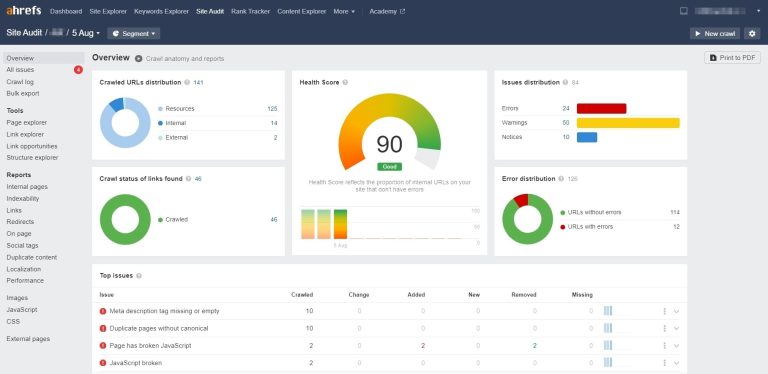
- Site Audit
Automatically scans your website for technical SEO issues such as 404 errors, duplicate content, internal linking problems, and page speed issues. It then gives you a detailed report so you can fix problems and improve SERP visibility. - Backlink Analysis
Shows where your backlinks come from, helps you monitor who is linking to your content, identifies possible spam links, and even lets you compare your backlink profile with competitors to uncover new SEO opportunities.
These features matter because search engines such as Google use technical SEO performance and backlink quality to influence rankings. If your site has technical errors or poor-quality links, your ranking can suffer.
Compared with other SEO tools, AWT gives you technical SEO analysis for free, which makes it a very cost-effective choice for site owners on a budget. It works for websites of all sizes, and in the next sections we will show you how to sign up, verify your site, and use the tool effectively.
👉 Start using Ahrefs Webmaster Tools
How to Get Started with Ahrefs Webmaster Tools
Create an Account and Add Your Website
Go to the AWT website and click Sign up for free. You can log in with a Google account for faster setup, or register with email and create a password.
After logging in, click Add a website. AWT will then ask you to verify ownership of the site.
Three Ways to Verify Your Site
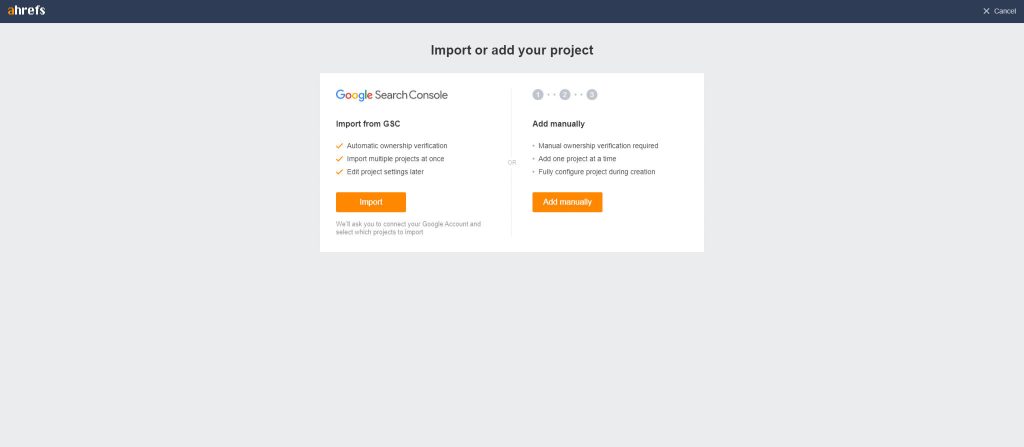
Ahrefs offers three ways to verify that you are the real owner of the website:
- GSC verification: If your site is already connected to Google Search Console, this is the fastest method.
- HTML tag verification: Good for site owners who can easily edit the site’s HTML header or root files.
- DNS verification: Useful if you do not have GSC access or cannot upload HTML files, although it may take a few hours to complete.
By default, AWT updates your site audit reports every week, but you can also trigger a fresh scan manually. If your content changes frequently, checking once a week is a good habit.
Backlink data is updated according to Ahrefs’ index, usually every one to two weeks. If you recently gained or lost important backlinks, it is worth reviewing the data regularly so you can adjust your SEO strategy quickly.
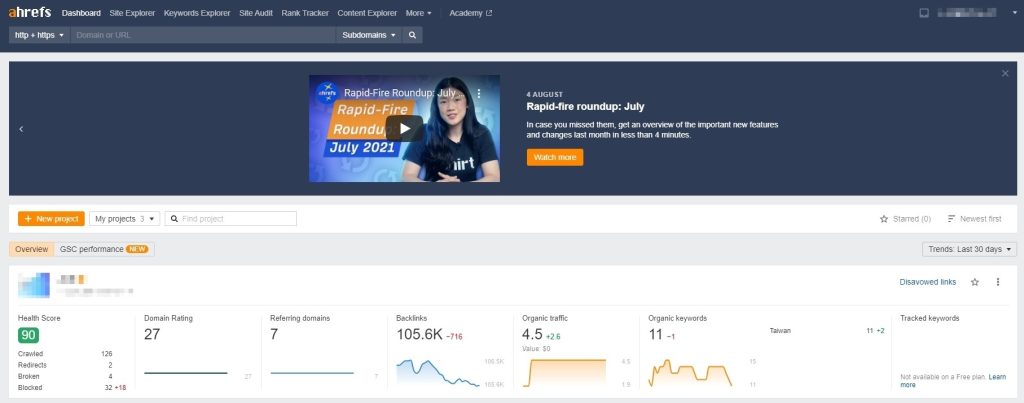
Once your site is verified, AWT can start analyzing your SEO performance, helping you spot technical issues, monitor backlinks, and identify the factors affecting your rankings.